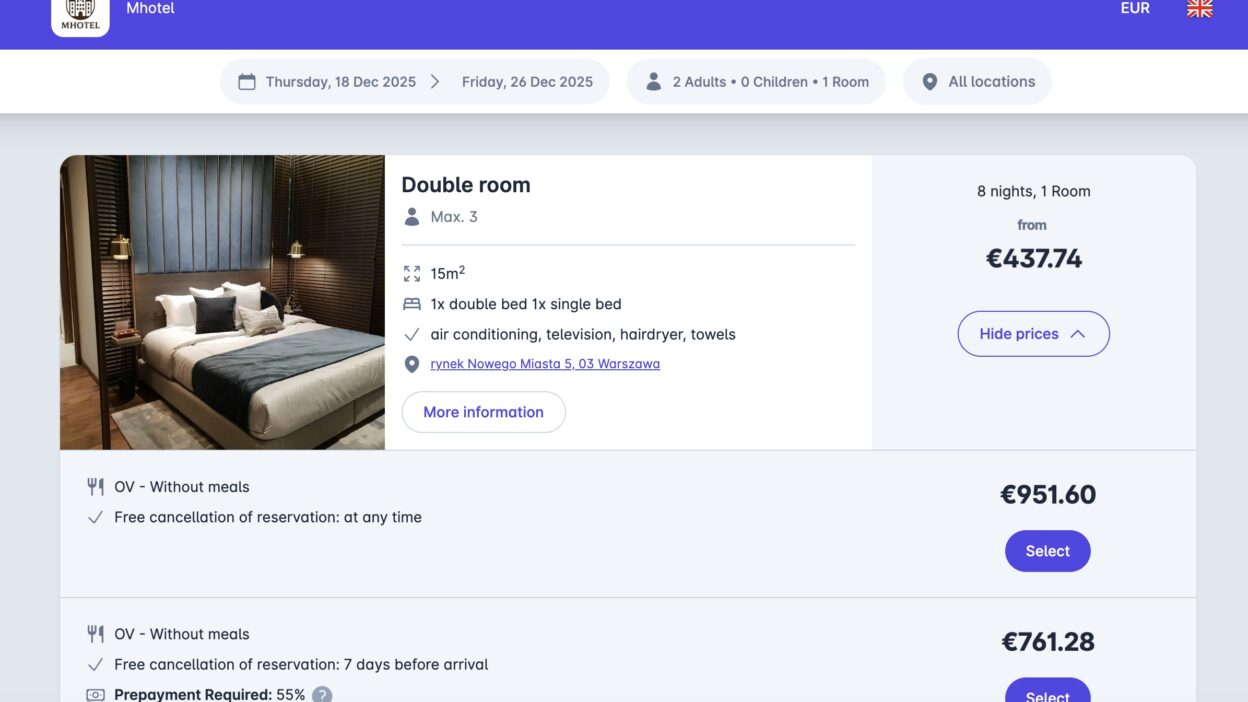
The new online booking system is a step towards even greater convenience and flexibility in the management of offers. Until now, all rooms have benefited from a single return policy - now you can create multiple rate plans with different reimbursement rules for each room.
Below you will find summary of major changes, new features and practical tipshow to adjust your configuration so that your offers work correctly after the update.
⚙️ What's changing in version 2.0
💰 1. Management of returns policy
In the new version, the rules on payments and refunds are part of the return policy.
💡 What you need to do:
- Go to settings management of returns policy and define your return policy.
- Then assign the selected policy to the corresponding price plan.
➡️ Find out more about managing a returns policy
👥 2. Change in pricing model
The option disappears from the mobile app "price per person".
From now on, only "price per room" or "price depending on the number of people".
💡 Why we are changing it:
This modification provides full compatibility with external systems (such as Booking.com).
💡 What you need to do:
- If you are using the 'price per person' model, check your existing pricing plans and adjust them to the 'price per room' or 'price per number of people' model.
➡️ Find out more about the price models
🍽️ 3. Food moved to rate plans
In the previous version of the system, catering information was configured under a separate tab "Catering". In the new version, it must be defined in the price plan, e.g. "Standard with breakfast".
💡 What you need to do:
- Create a pricing plan including catering.
- Enter the following in the price list next to the selected price plan full price per daywhich already includes the cost of meals.
➡️ Find out more about creating rate plans
🧭 In summary:
| What has changed | What to do |
|---|---|
Returns policy | Set rules in the cancellation policy and assign them to price plans. |
| Pricing model | Set prices based on "price per room" or "price according to number of persons". |
| Catering | Transfer the meal information to the pricing plans. |
Don't worry - all your existing data remains in the system.
All you will need is one-off adjustment of bid configurationsto comply with the new scheme.
🚀 New features
There are several new features in the online booking system that will make day-to-day work and facility management easier.
💸 Rate plans
Create different variants of offers - e.g. Returnable standard i 7 days -10% non-refundable. Pricing plans allow you to flex your rates according to length of stay, season or type of offer. In this way, you can manage multiple pricing strategies at the same time, and each can have a separate return policy.
🧒 Price for children
Set a price per child, this option is only available when using the number-based pricing model.
📍 Locations
If you manage several properties, you can now assign rooms or flats to different locations within one account.
🛏️ Room types
Group similar rooms together and manage them simultaneously.
You only make changes once - the system will automatically apply them to all units of the same type.
💼 Reservation management panel
The new panel makes it even easier to manage bookings and payments. When you receive an email about a new booking, simply click the "Show booking" - the system will automatically redirect you to the application mobile-calendar, where the booking is highlighted in the calendar and the booking form is opened. From this level, you can quickly check the details, make changes or cancel the booking.
🔌 Plugin for WordPress
The new mobile-calendar plug-in for WordPress allows you to add a booking system directly to your website.
➡️ Plug-in configuration for WordPress
💳 Own payment gateways
Connect your own payment method and enjoy complete independence - no booking fee. In mobile-calendar, you can use popular gateways such as PayPal, Stripe or Przelewy24and set offline payments - e.g. cash on the spot or by traditional bank transfer.
(Available by subscription Professional i Premium.)
Important: When you connect your own payment gateway, mobile-calendar does not charge commissions on bookings. Payment gateway providers (for example, PayPal) charge their own commissions - typically around 1.5-2.0% per transaction. The final commission amount depends on the selected provider and the individual terms and conditions of the contract.
➡️ Configuration of your own payment gateways
📈 Integration with Google Tag Manager
Add your tracking code to analyse the effectiveness of your marketing campaigns. You'll see where your visitors are coming from and which channels are generating the most bookings.
➡️ Integration with Google Tag Manager