It’s 23:40. The phone rings: „Good day, we’re stuck in traffic; we’ll be around 1 a.m. Can someone let us in?” If you run an apartment, guest house, or small hotel without a 24/7 reception desk, you know this scenario all too well.
Late arrival of the guest This is one of the most common situations in the accommodation industry. Delayed flights, traffic jams on the highway, getting home straight after work – there are many reasons. The good news: you don’t have to stay up until the morning or hire a night receptionist. All you need is a well-prepared process self check-in.
In this article, we will show you step by step how to prepare your facility for late arrivals, and at the end – how to automate the entire process in the system. mobile-calendar.
Why is late arrival a challenge for a property without a reception desk?
In a large hotel, the night shift takes care of the matter. facilities without a reception desk – for short-term rental apartments, cottages, or guest houses – every late arrival means additional costs and stress:
- Time of the owner or staff – waiting for a guest at midnight, often without an exact arrival time.
- Handing over the keys – key cabinets, keys „under the windshield” or at a neighbor’s are a risk of loss and copying.
- Communication chaos – phones, SMSs and messages from several portals at the same time, when the guest is looking for an entrance in the dark.
- Formalities – registration fees, local fees, supplements and deposit, which are normally handled at the reception.
- More negative opinions – a tired guest who, after a journey, waits at the door; rarely gives 10/10.
The solution is not longer work, but a process in which the guest can check in themselves – at any time, safely and without your involvement.
How to prepare the property for a late arrival of a guest – 5 steps
1. Gather information before arriving
Ask the guest for the estimated time of arrival when booking. It is best to collect the registration details, number of people, and payment in advance – then there are no formalities on site.
2. Prepare a clear instruction for arrival and entry
Exact address, pin in the maps, cage number, floor, photo of the entrance door. What seems obvious during the day ceases to be so at night. Add information about parking, Wi-Fi, and the rules of the stay.
3. Give up physical keys
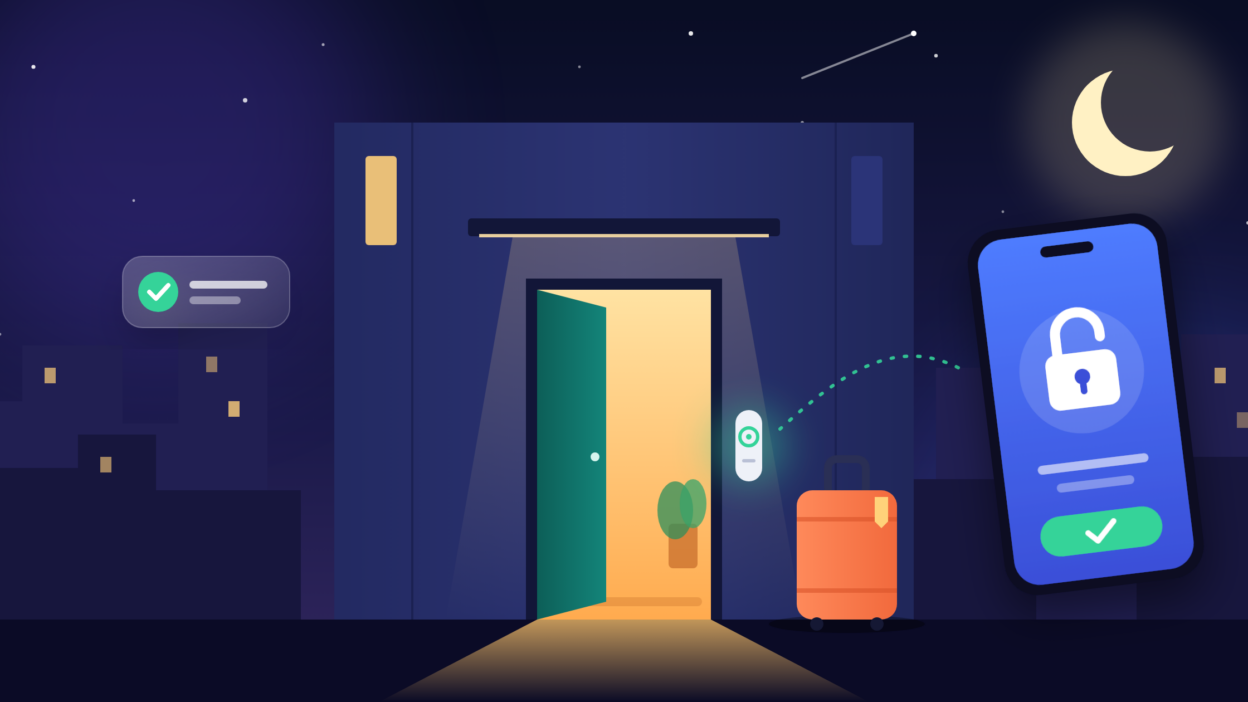
Electronic lock for an apartment This is the basis for unattended check-in. Each guest receives their own code or digital key, valid only for the duration of their stay. There is no risk of losing or misplacing keys, and you don’t have to meet the guest in person.
4. Send a message at the right time
The instructions sent a week in advance disappear in the inbox. The best way to go is a series of messages: confirmation of the reservation, a reminder a few days before arrival, and complete information (code, address, instructions) on the day of arrival.
5. Take care of safety and emergency contact
Illuminated entrance, a clear building number and a phone number for emergency contact. The guest does not need a reception – they need certainty that if there is a problem, someone will answer.
How mobile-calendar solves the problem of late arrivals
You can perform all of the above steps manually – or configure them once in the mobile-calendar and forget about late-night phone calls. Our booking system for accommodation facilities combines three elements that together create a complete solution. self-check-in.
Online check-in – formalities completed before arrival
The guest receives a link to online check-in You even fill in your details before the trip. When you arrive at the destination – even at 2:00 a.m. – you no longer have anything to fill in or sign. You have all the information in the system.
Link to documentation: https://docs.mobile-calendar.com/en/guides/reservations/online-checkin
Integration with TTLock and Tedee locks
mobile-calendar works with smart locks TTLock i Tedee. Thanks to the integration, access to the apartment is linked to a reservation – the guest receives their code or digital key, and you don’t have to manually generate or send it. Say goodbye to key cabinets and meetings under the door.
Link to documentation: https://docs.mobile-calendar.com/pl/poradniki/zamki-elektroniczne
Automatic messages to guests
Set the templates once and the system will send them at the right time: the confirmation of the reservation, the link to online check-in, the instructions for arrival and access data on the day of arrival, and after departure – a thank you and a request for feedback. The guest has everything they need before they have time to ask.
Link to documentation: https://docs.mobile-calendar.com/pl/poradniki/komunikacja/automatyczne-wiadomosci
The effect: an object that operates without maintenance
The combination of online check-in, TTLock or Tedee locks and automatic messages makes a late guest arrival no longer a problem. The guest checks in themselves at any time, and you can sleep peacefully – without a 24/7 reception desk and no additional staff.
Checklist: the facility is ready for late arrivals
- You ask about the time of arrival when booking
- The guest fills out the online check-in before arrival
- You have an electronic lock (e.g. TTLock or Tedee) connected to the booking system
- The driving instructions include an address, a pin code and a photo of the entrance
- Automated messages are sent before arrival and on the day of arrival
- The entrance is illuminated, and the guest has an emergency number.
Frequently asked questions (FAQ)
Can the facility operate without a 24/7 reception?
Yes. Thanks to self check-in, electronic locks and automatic messages, the guest can enter the apartment at any time without the presence of staff.
What electronic locks does mobile-calendar support?
Mobile-calendar integrates with TTLock and Tedee locks.
Does the guest have to download the app to check in?
Online check-in takes place via a link sent in a message, so the guest fills in the data in the browser.
What if the guest arrives later than he promised?
Nothing is happening – the access code (the door code) is valid for the entire duration of the stay, so the time of arrival does not matter.
Try mobile-calendar
A late arrival of a guest does not have to mean a sleepless night.
Create an account at mobile-calendar, With online check-in, connect a TTLock or Tedee lock, and set up automatic messages – and your property will start operating without any maintenance.